How to take the best photos for AI headshots
Here's the single biggest secret to great AI portraits: it's not the AI — it's the photos you feed it. Your uploads are what the model learns "you" from. Give it rich, varied, full-resolution photos and the results look unmistakably like you. Give it a handful of blurry screenshots and even the best model has nothing to work with.
Why your photos matter more than the model
Studio You trains a private model of your face from the photos you give it — it's not a filter slapped on top, and it's not a face-swap. It genuinely learns your features: the shape of your eyes, your smile, your hairline, your skin. Everything it knows about you comes from your uploads. So the quality, variety, and resolution of those photos set the ceiling on how good every portrait can be.
The photo checklist
1 Upload 10–20 photos (more variety = better)
Five is the minimum; 10–20 is the sweet spot. The model learns you best when it sees you in many situations — not the same selfie ten times. Each genuinely different photo teaches it something new about your face from another angle or light.
2 Use full-resolution originals — never screenshots
This is the one almost everyone gets wrong. A screenshot or screen-grab throws away most of the detail in the original — it's a low-resolution copy of a copy. Send the original files straight from your camera roll or camera. A big, sharp, multi-megabyte photo carries the fine detail — skin texture, individual hairs, the exact catchlights in your eyes — that make a portrait read as truly you. When you share from your phone, choose "Actual Size" / "Original," not a resized or compressed version.
3 Show variety — the #1 quality lever
- Different days & settings — indoors, outdoors, a few backgrounds.
- Different outfits — so the model learns your face, not one shirt.
- Different angles — straight-on, slight left, slight right, a little above and below.
- A few expressions — some natural smiles, some relaxed/neutral. Mostly looking toward the camera.
4 Keep your face clear, lit, and reasonably close
Your face should be in focus, well-lit, and fill a good part of the frame. Soft, natural daylight (near a window, or open shade outside) beats harsh overhead light or a direct flash. Avoid deep shadows across your face. A tiny face in a wide landscape or group shot gives the model very little to learn from — crop in or pick a closer photo instead.
5 Use recent photos
Pick photos that look like you today — current hairstyle, current you. If half your uploads are from ten years ago, the model blends the two and the likeness drifts.
6 One person only
Every photo should be just the person you're creating. Group photos confuse the model about which face is "you." Crop other people out, or skip those shots.
Good photos vs. photos to avoid
Great to upload
- Original, full-resolution files
- 10–20 varied shots
- Clear, well-lit, in-focus face
- Different days, outfits, angles
- A mix of smiles & neutral looks
- Recent — looks like you now
- Just one person per photo
Best to avoid
- Screenshots / screen-grabs
- Heavy filters or "beauty mode"
- Sunglasses or hats hiding your hair
- Blurry, dark, or grainy shots
- Group photos with other faces
- Ten near-identical burst frames
- Extreme angles or a tiny, far-away face
See it in action
The AI only ever sees the photo — not the real you. Here's the same kind of shot done right, and the four most common ways it goes wrong:
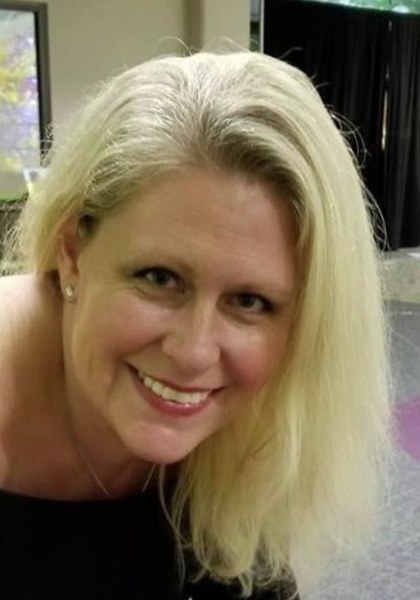
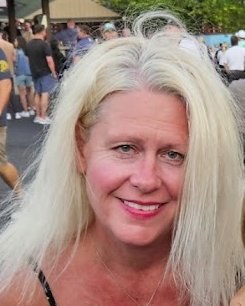
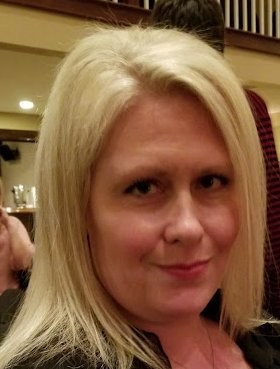
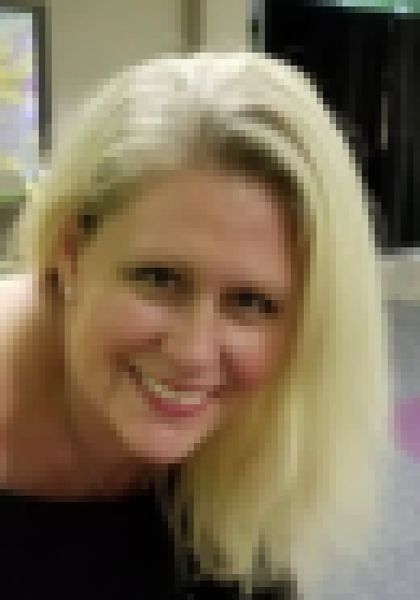
(Same photo, shown correctly and then degraded the four common ways — for illustration.)
How many is enough?
Think of it like introducing yourself to an artist: the more (genuinely different) reference photos they have, the better the likeness. 5 works, 10–15 is great, 20 is excellent. Beyond that you get diminishing returns — quality and variety beat sheer quantity every time. Five brilliant, varied, full-resolution photos will beat twenty dark, repetitive screenshots.
Ready to try it?
Once your photos are ready, the rest is us. We train your private model, you pick your looks, and every finished portrait comes back high-resolution, GenieMade-certified, and yours forever.
Frequently asked questions
Can I use screenshots of my photos?
It's best not to. A screenshot is a lower-resolution copy that has thrown away most of the original detail. Always upload the original file from your camera roll or camera, at full resolution — it makes a real, visible difference to how sharp and true-to-likeness your results are.
How many photos should I upload for AI headshots?
Between 5 and 25. The sweet spot is 10–20 genuinely different photos — varied days, outfits, angles, and expressions. Variety matters more than sheer quantity.
What kind of photos work best?
Clear, well-lit, in-focus photos where your face fills a good part of the frame, taken on different days in a few settings, with a mix of natural smiles and neutral expressions. Soft natural daylight works better than harsh flash.
What should I avoid?
Avoid screenshots, heavy filters or beauty mode, sunglasses and hats that hide your hair, blurry or very dark shots, group photos with other people, and ten near-identical burst frames. Also avoid very old photos if your look has changed.
Do more photos always mean better results?
Up to a point. More varied photos help; more copies of the same photo don't. Five excellent, varied, full-resolution photos beat twenty repetitive low-quality ones.
Are my photos private?
Yes. Your uploads and your trained model are sealed in your private Vault and used only to create your portraits. Every finished image is certified with a tamper-evident certificate of authenticity.